

Table of Contents:
- Risks of Not Destroying Old Hard Drives
- Why Do Companies Destroy Hard Drives?
- How to Find a Hard Drive Shredder to Fully Destroy Data
- Types of Hard Drive Shredders
- Can You Recover Data From an Old Hard Drive?
- Get Hard Drive Destruction Solutions
How companies dispose of hard drives impacts regulatory compliance, brand reputation and national security. These end-of-life assets contain sensitive information and may become a liability when improperly handled.
Discover how to safely get rid of old hard drives.
Risks of Not Destroying Old Hard Drives
Hard drives contain sensitive files and proprietary information. Should any of this information fall into the wrong hands, your organization faces:
-
- Financial loss: The cost of inaction can outweigh the investment in reliable data destruction solutions. The average global breach cost is $4.88 million, with financial companies spending $6.08 million on data breaches. Long-term impacts include regulatory fines for compliance, insurance claims and potential lawsuits.
- Reputational damage: Clients and partners expect secure data handling, so a single mishandled device signals weak internal controls. This perception can affect customer confidence and contract eligibility.
- Regulatory noncompliance: Most standards specify how and when data-bearing media should be sanitized or destroyed once they’re no longer needed. Noncompliance can lead to hefty fines.
Find Solutions to Protect Your Business Data 
Common Mistakes Companies Make
Some data destruction methods may seem reliable, but they merely make data harder to access instead of permanently destroying it. Here’s what companies do with old hard drives:
- Physical damage: Drilling holes or hitting drives with a hammer is unreliable. These techniques don’t guarantee complete data destruction. Often, the internal platters where data lives remain intact and, in some cases, recoverable.
- Using inadequate data methods: Some companies may lack standardized, auditable protocols for media disposal. Drivers may be set aside for later destruction, stored indefinitely or handled differently from site to site. These gaps increase exposure and complicate compliance documentation.
Why Other Methods Fall Short
While data disposal techniques may seem convenient, they don’t provide the same certainty or compliance as physical shredding. Unreliable methods include:
- Wiping or erasing: Data wiping involves using software to overwrite existing files on a drive. This technique may be ineffective because it assumes the process was completed without errors and that all storage sectors were accessed.
- Deleting: Simply deleting files from a drive removes file indexes, not the files themselves. The underlying data remains on the drive until it is overwritten, which is often recoverable with specialized tools.
- Degaussing: This technique uses a magnetic field to disrupt the data stored on hard drives. While effective, it does not work on solid-state drives (SSDs) or flash memory. The process destroys the drive’s firmware, making it impossible to verify whether the data was fully erased.
- Restoring factory settings: Some users assume a factory reset or reinstallation of the operating system erases the drive. However, the process doesn’t address latent data or unallocated space where sensitive fragments may still exist.
Why Do Companies Destroy Hard Drives?
Companies destroy old hard drives to mitigate risk. Permanent data destruction ensures sensitive information never leaks or is misused. Additionally, regulatory compliance requires proof that data was properly sanitized or destroyed. Without a verified process, retired drives can be a liability to organizations.
Destroying Sensitive Data Off Hard Drives
Properly destroying hard drives means rendering information completely unrecoverable. The most secure way to dispose of a hard drive containing sensitive data is by shredding it.
Hard Drive Shredding
Shredding is the best way to physically destroy a hard drive. It involves using industrial machinery to break down the drive into small, unrecognizable pieces, damaging the outer casing and the internal components where data resides.
Hard drive shredding is predictable and auditable. Once the drive is processed, there is no practical way to recover any part of the data, making it a method preferred by organizations governed by strict regulations. Most shredders are compact and fast, so you can handle destruction in-house.
How to Find a Hard Drive Shredder to Fully Destroy Data
The right hard drive shredder should integrate with minimal friction and support long-term security practices. Consider these five factors when evaluating shredding solutions.
Find the Right Hard Drive Shredder Solution
1. Volume and Capacity Needs
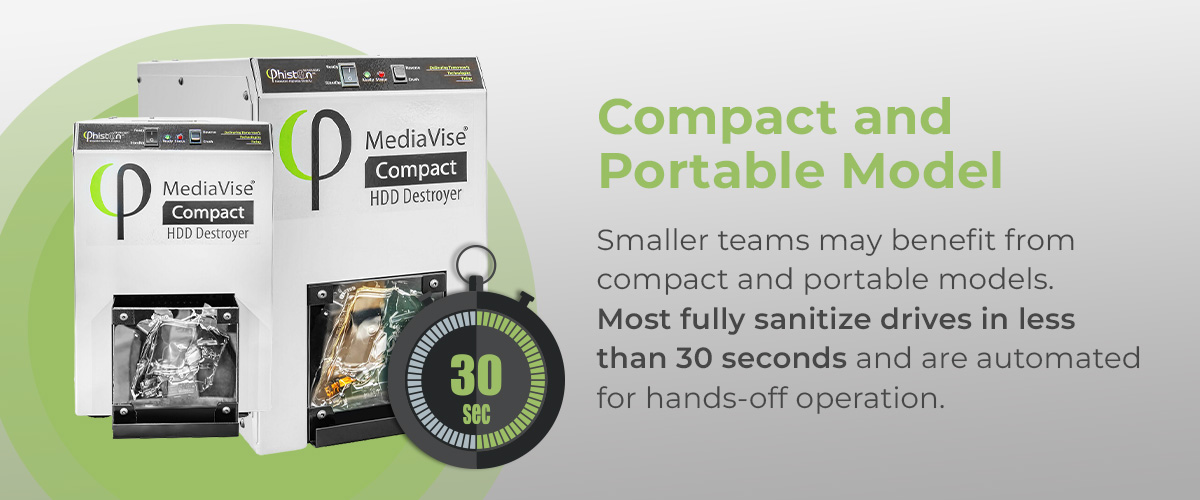
Assess how many drives your organization disposes of and how often. Smaller teams may benefit from compact and portable models. Most fully sanitize drives in less than 30 seconds and are automated for hands-off operation.
Large enterprises can use high-capacity or rackmount units to ensure they stay ahead of demand without delays. Consider multiple units to streamline workflows if your operations are distributed across regions or campuses.
2. Throughput and Automation
Throughput impacts how efficiently devices can be processed, so an automated solution helps reduce data labor and human error. Some machines can disintegrate 480 HDDs per hour, supporting standardization and minimizing bottlenecks.
Automated feed systems and rapid cycle times help you stay on pace and ensure consistent destruction.
3. Security Features
Look for shredders that operate without requiring physical contact with the media to reduce the chance of mishandling. Some devices include internal containment or bins to prevent debris from escaping during destruction. Shredders should offer access control or integration with scanning devices to streamline tracking.
4. Compliance With Industry Standards
Most industries must destroy data-bearing media in ways that prevent reuse or recovery. Some standards the shredder should help you adhere to include:
- NIST SP 800-88 Rev.1 for media sanitization.
- Health Insurance Portability and Accountability Act (HIPAA) for destroying patient records.
- Payment Card Industry Data Security Standard (PCI DSS) for financial services.
5. Environmental Responsibility
Some manufacturers build their systems with secure data destruction and sustainability in mind. Their devices are energy-efficient, debris is fully contained, and they provide accessories to support organized collection for downstream certified recycling.
Types of Hard Drive Shredders
Companies like Phiston Technologies offer a range of purpose-built shredders designed for secure data destruction across industries. Explore popular solutions and accessories below:
- MediaDice® All Media Disintegrator A2 disintegrates HDDs, SDDs, smartphones and more. It’s equipped with a magnetic separator that divides metal pieces into a different bin for recycling. The machine is a fully enclosed system with a manual feed port. It has an intuitive LCD touchscreen interface for security access.

- Combo MediaDice® Disintegrator can shred over 1,000 HDDS or 7,200 SDDs an hour. It features password-controlled access and an intuitive LCD touchscreen for security passes and operational functions. It’s floor-mounted and has rollers for mobility. The machine automatically recovers from a media jam or shuts down should recovery be unsuccessful.
- MediaVise® Compact HDD Destroyer offers impressive force in a small footprint. The machine fully sanitizes drives in less than 30 seconds. It supports fully automated, hands-off operations for safety and comes standard with a debris door.
Accessories to Make Life Easier
To help organizations manage data destruction with greater precision, Phison offers accessories that support compliance, traceability and operational flow. Leading options include:
- MediaVision® scanner pairs with Phiston Technologies’ shredders and captures drives’ serial numbers or barcodes before destruction. This ensures each device is logged as destroyed. The device features hands-free scanning with a friendly touch-screen interface for effortless control. If the scanner fails to read the disk label, it will eject the disk.
- MediaVault® adjustable bin holds destroyed drives securely before disposal or recycling. It has a plexiglass window that allows you to view materials and a manual hydraulic lift for effortless upward and downward movement. Its 6-wheel design makes it easier to maneuver through tight spaces and corners. The bins have military-grade locks to prevent unauthorized access.
- MediaVault® bin protects sensitive data from unauthorized access during transportation. It features a plexiglass for easy viewing of materials, and a scanner can be configured to scan hard drive labels and images. The tamper-proof, lockable lid deters unauthorized access.
- MediaGuard® rack sleeve is a reusable, secure solution for decommissioning and transporting server racks. It’s lockable and tamper-proof to prevent unauthorized access. The sleeve fits standard network racks and can be customized for unique applications.
Can You Recover Data From an Old Hard Drive?
You can recover data from an old drive. Specialized recovery tools can extract files previously erased or lost because of system errors. Unless the information has been properly overwritten, degaussed or the drive has been physically destroyed, residual information may remain stored on the drive’s internal components.
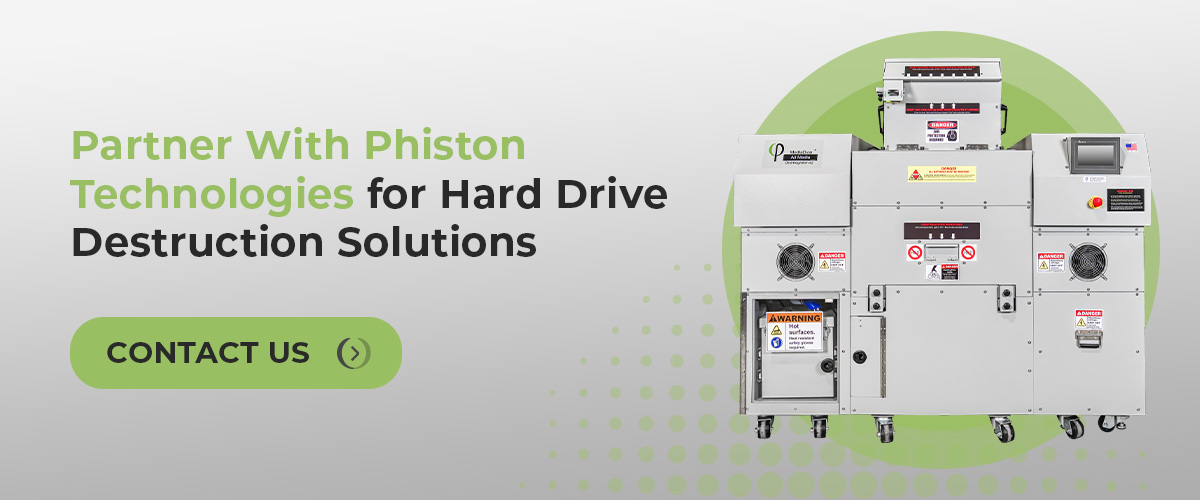
Partner With Phiston Technologies for Hard Drive Destruction Solutions
Phiston Technologies designs, engineers and manufactures data destruction solutions to help organizations securely destroy sensitive information. We offer various shredders that help you adhere to regulatory standards. You get reliable, in-house control over data destruction with no uncertainty and gaps in your process.
Contact us today for custom solutions to match your requirements.